Products · Salesforce

Command Center.

A grade for your Salesforce org, the findings behind it, and a 90-day plan you can budget. Then hourly and daily monitoring with alerts, so it stays that way.

44indicators across five areas, each scored against a healthy range
52monitors running hourly and daily, with alerts by email or Slack
0changes to your org, ever. Every check is a query.

The review

One number you can defend.

The Org Health Index scores the org from 0 to 100 and grades it A to F. Behind the number sit 44 indicators in five areas, each with the observed value, the healthy range, the goal, and what we would do about it.

A

Access and security

Salesforce's own Security Health Check plus the things it does not see: admin sprawl, Modify All Data, integration users, dormant logins.

B

Data footprint, licensing and spend

Storage that is quietly filling, objects that dominate it, licences paid for and never assigned, permission set licences nobody uses.

C

User experience and technical health

Fields nobody fills, layouts nobody sees, Process Builder still running, Apex on old API versions, deployments that skip a pipeline.

The monitors

Then it keeps watching.

Fifty-two monitors run hourly and daily against every connected org. Each one has a warning and a critical threshold you can tune per org, and an alert opens when one trips and closes itself when the org recovers.

API, storage and every other org limit at 80 and 90 percent
Failed Apex jobs and scheduled jobs in error
Certificates expiring, remote sites still on http
Login failures, lockouts and logins from new countries
Security Health Check score drops and new high-risk settings
New System Administrators and sensitive setup changes
Installed packages and integration config that change
Dormant users, frozen users, licence waste
Apex test coverage and classes on legacy API versions
Record growth, duplicates and owner skew
Files and attachments outgrowing their allocation
Release updates due and maintenance windows ahead
How it works

Fifteen minutes to connect. A grade within the week.

Your admin, once

Connect

Create a read-only External Client App in your org and paste its key into the Command Center. No user is created, no package is installed.
Automated

Review

The review reads the org's own APIs and Setup pages, scores the 44 indicators, and writes the report: findings, why they matter, how sure we are, and the 90-day plan.
You, quarterly

Watch

Monitors run hourly and daily. Alerts reach the people you choose. The review re-runs each quarter against the same scoring model, so the numbers stay comparable.

Read-only by design

Built for organisations that control access carefully.

1

Every check is a query

The connection can read metadata, limits and counts. It cannot write, deploy, run code or export records. The full list of what it reads is published for your privacy officer.

2

Never a customer or patient record

The review counts and measures. It does not read the contents of a single Account, Contact or Case. Sandbox first, production later and only for monitoring.

3

Your people, your roles

Owners, admins, members and viewers per client. Invite your own team, decide who sees alerts, and take the access away yourself when you want to.

The report

Plain language, with the evidence attached.

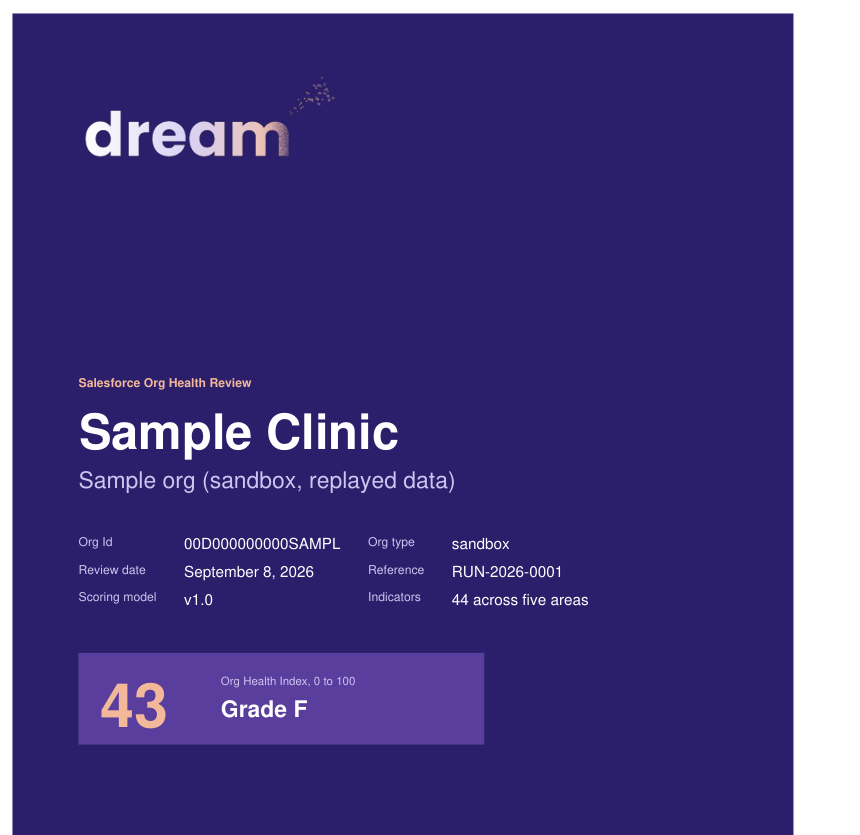
A cover you can hand to a board, a one-page glance, the scorecard, a section per area with what we found and what to do, the 90-day plan, and an appendix that shows exactly how every number was read.

Cover of a sample Org Health Review

Get a grade for your org.

Fifteen minutes of your admin's time to connect. A grade, the findings and a 90-day plan within the week.